
SmartProtect Anti-Theft and Lost Prevention System2.5 - Get APK
You'll be able to download in few seconds.
Publisher Description


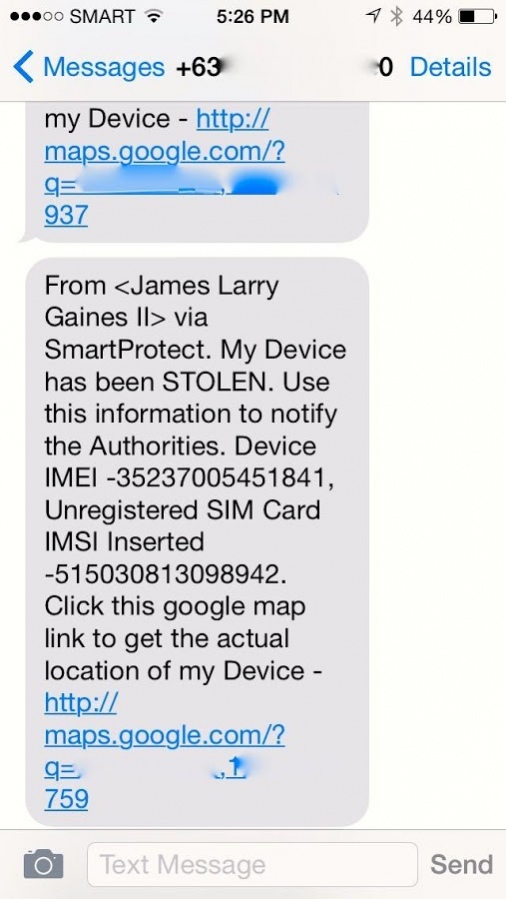
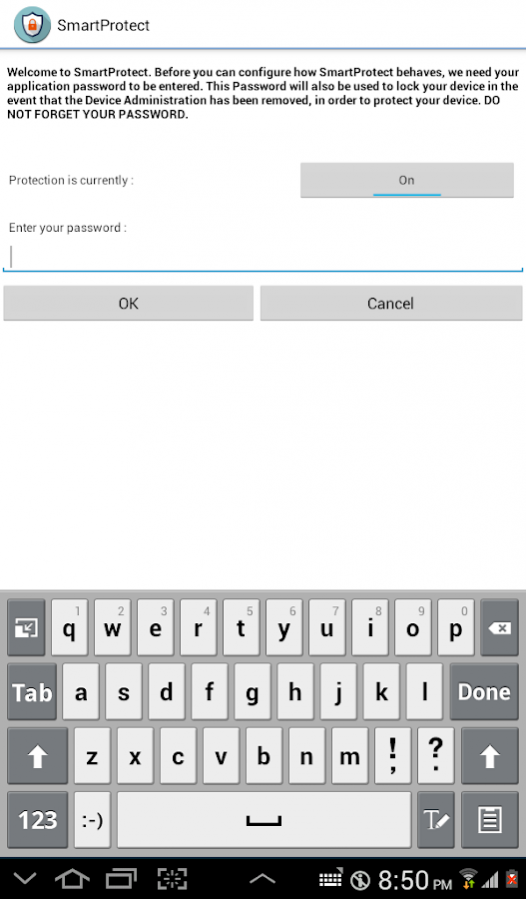


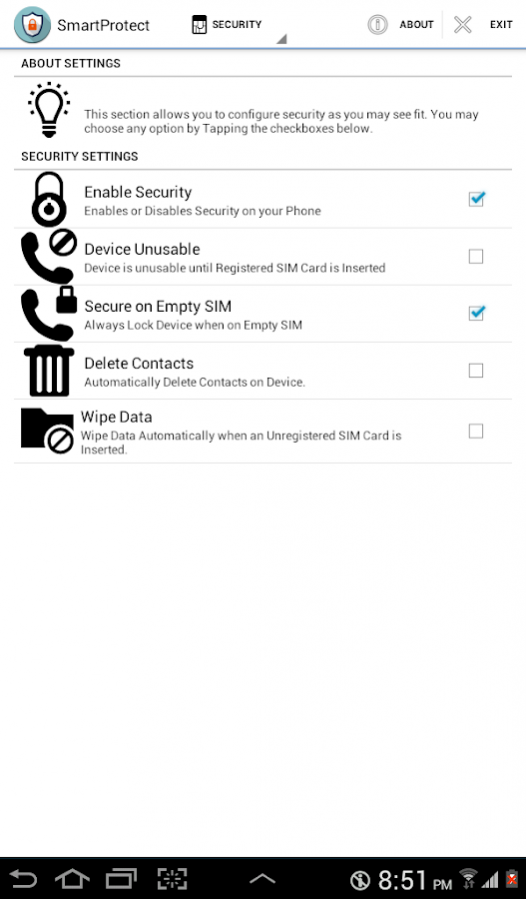
This software is an anti-theft software that proactively protects your device when lost or stolen. For more information, please see : http://forum.xda-developers.com/android/apps-games/app-smartprotect-anti-theft-android-t2947779/post56921064#post56921064
Features includes :
1. Anti-theft or Lost Prevention Software with SMS Auto-Responder and GPS Capability.
2. Your phone will alert your predefined partners when lost or stolen.
3. When you forget your phone and can''t remember where you put it, you can SMS your phone to get the location.
4. When theft happens, you can SMS your phone for other information such as IMSI, IMEI or even remotely lock your phone etc as part of it's anti-theft features.
5. This anti-theft software is also equipped with Thief Prevention system which will automatically SMS your partner phone number(s) if the SIM has been changed.
6. This software supports registration of Multiple SIM Cards and of Multiple Phone Contacts as Partners. Note that on dual-sim devices, only the first SIM Card maybe Detected.
7. When your phone has been stolen, it will automatically SMS relevant information such as IMEI, SIM Card Number or IMSI and Location.
8. It is also able to send details such as who called the thief or who SMS'ed the thief.
9. Google Map location is sent to the Partner Phone where you just need to click the link to view it from Google Maps.
10. This software cannot be easily uninstalled. Only the owner can uninstall the app.
11. Can automatically lock your phone when stolen so that it is not usable.
The SMS commands syntax is :
::/[command],[password]
Example :
::/getImei,MyPass
where getImei is the SMS Command and MyPass is the SmartProtect password you've set.
SMS Commands include
getImei - Gets the Device's IMEI
getImsi - Gets the Inserted SIM Cards IMSI or Unique Number. Use this to track down the user who is using this device.
Help - Returns the list of commands.
RegisterAsPartner - Adds a phone as a Partner.
RingPhone - Play Sound on the phone.
UnregisterAsPartner - Remove this phone as a Partner.
VersionInfo - Retrieve the Version Info.
AutoSendLocationOff - DO NOT Notify Location to Partners on SIM Change
AutoSendLocationOn - Notify Location to Partners on SIM Change.
GetLocation - Get Location
LockMyPhone - Locks the device with password you set on SmartProtect.
MarkAsRecovered - Marks the Device as Recovered.
MarkAsStolen - Marks the Device as Stolen.
WipePhone - Wipes the entire phone via Factory Reset
AutoDeleteContactsOff - Sets the AutoDelete Contacts to False on SIM Change
AutoDeleteContactsOn Sets the AutoDelete Contacts to True on SIM Change
AutoDeviceUnusableOff - Sets the Device Unusable settings to False on SIM Change
AutoDeviceUnusableOn - Sets the Device Unusable settings to True on SIM Change
AutoSecureOnEmptySimOff - DO NOT Secure Device when SIM Tray is Empty.
AutoSecureOnEmptySimOn - Secure Device when SIM Tray is Empty.
AutoWipeOff - DO NOT Auto Wipe Device on SIM Change
AutoWipeOn - Auto Wipe Device on SIM Change
DisableSecurity - Disables the security mechanism of your device.
EnableSecurity - Enables the security mechanism of your device
Note : This app uses the Device Administrator permission.
Note that on dual-sim devices, only the first SIM Card maybe Detected.
About SmartProtect Anti-Theft and Lost Prevention System
The company that develops SmartProtect Anti-Theft and Lost Prevention System is James Larry G. Gaines II. The latest version released by its developer is 2.5.
To install SmartProtect Anti-Theft and Lost Prevention System on your Android device, just click the green Continue To App button above to start the installation process. The app is listed on our website since 2017-09-02 and was downloaded 0 times. We have already checked if the download link is safe, however for your own protection we recommend that you scan the downloaded app with your antivirus. Your antivirus may detect the SmartProtect Anti-Theft and Lost Prevention System as malware as malware if the download link to net.jlgaines.smartprotect.security.configurator is broken.
How to install SmartProtect Anti-Theft and Lost Prevention System on your Android device:
- Click on the Continue To App button on our website. This will redirect you to Google Play.
- Once the SmartProtect Anti-Theft and Lost Prevention System is shown in the Google Play listing of your Android device, you can start its download and installation. Tap on the Install button located below the search bar and to the right of the app icon.
- A pop-up window with the permissions required by SmartProtect Anti-Theft and Lost Prevention System will be shown. Click on Accept to continue the process.
- SmartProtect Anti-Theft and Lost Prevention System will be downloaded onto your device, displaying a progress. Once the download completes, the installation will start and you'll get a notification after the installation is finished.
Program Details
System requirements
Download information
Pricing
Version History
version 2.5
posted on 2017-09-02
Included description of what the app uses the Device Administrator for.
Modified some flow for usability
version 2.0
posted on 2015-02-28
Remove in-app purchase (All Features are now FREE!!!),Allow Partner phone to control the behaviour of the protected phone when stolen without in-app purchase
Disclaimer
External Download
We do not host SmartProtect Anti-Theft and Lost Prevention System on our servers. We did not scan it for viruses, adware, spyware or other type of malware. This app is hosted by Galad and passed their terms and conditions to be listed there. We recommend caution when installing it.
The APK Download link for SmartProtect Anti-Theft and Lost Prevention System is provided to you by apps112.com without any warranties, representations or guarantees of any kind, so access it at your own risk.
If you have questions regarding this particular app contact the publisher directly. For questions about the functionalities of apps112.com contact us.
